Nexthosting Guide
NVMe SSDs in Servers: The Benefits That Really Matter
Discover the benefits of NVMe SSDs in servers: higher IOPS, lower latency and optimal performance for your applications.
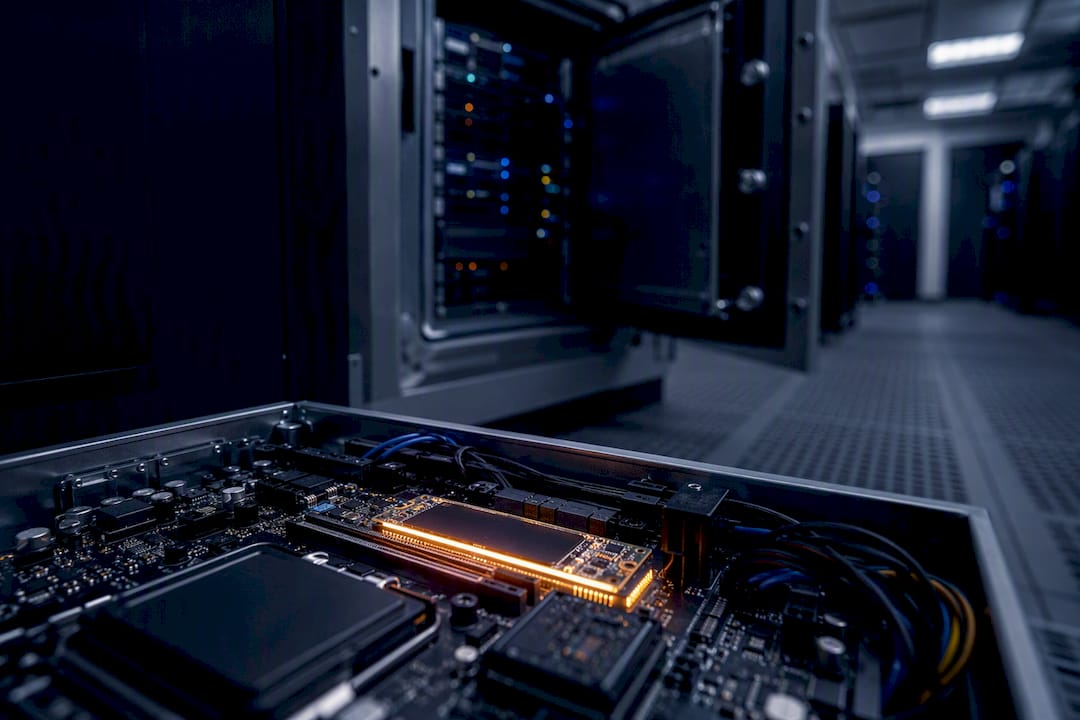
Discover the benefits of NVMe SSDs in servers: higher IOPS, lower latency and optimal performance for your applications.
NVMe SSDs significantly reduce latency and increase IOPS compared to SATA. For databases, virtualized environments, caches and highly parallelized game servers, NVMe is almost always the right choice. For sequential storage such as backups or archives, SATA is often still sufficient.
The industry has long treated NVMe as the dominant successor to SATA in the server space, because the SATA roadmap is technically exhausted. In practical terms, this means:
Pro tip: Measure your own p99 and p999 latencies under load peaks first, before you invest in NVMe. If you don't know the hot path of your application, you end up buying the wrong storage class.
NVMe SSDs significantly reduce p99 latency and increase random IOPS compared to SATA, which makes databases, VM hosts and game servers noticeably more stable in particular.
| Topic | Details |
|---|---|
| Measure the workload first | Check p99 and p999 latency under real load before you buy NVMe. |
| Choose the right endurance | Match the DWPD class to your write volume to balance cost and lifespan. |
| Mixed tiers instead of all-NVMe | Combine NVMe for hot data with SATA or HDD for cold archive data. |
| Plan the migration in a structured way | Check the backplane, tri-mode capability and firmware on a test system before the rollout. |
| Nexthosting as an NVMe option | Nexthosting offers NVMe storage in VPS and dedicated server plans for game servers and business workloads. |
NVMe (Non-Volatile Memory Express) is a protocol that addresses flash storage directly over PCIe, instead of taking the detour through the old AHCI controller that SATA drives use. This difference is at the core of the question of what NVMe servers actually do differently from classic SATA systems.
Every NVMe SSD connects directly to the processor or chipset over several PCIe lanes (usually x4). SATA, by contrast, is limited to a single queue with 32 commands, while NVMe supports up to 65,535 queues with as many commands each. That sounds abstract at first, but it has a very practical effect: a multi-core processor can assign each CPU core its own queues, without requests blocking each other.
In the server chassis, you will encounter NVMe in different form factors:
The so-called tri-mode concept allows controllers to serve NVMe, SAS and SATA through the same slot. This makes migrations considerably easier, because existing systems don't need to be completely rewired.
Three metrics determine whether NVMe actually makes a difference in server operation: sequential bandwidth, random IOPS and the latency distribution at the p95, p99 and p999 percentiles.
Sequential bandwidth is the best-known figure, but in server use it is often the least important. If you run a database, a cache or a game server with many simultaneous small reads and writes, you are primarily interested in random IOPS at small block sizes (typically 4K). This is exactly where the biggest difference lies: lab measurements from KIOXIA demonstrate significantly higher read throughput, write throughput and random IOPS for data center NVMe SSDs compared to enterprise SATA drives in comparable server workloads.
The percentile metrics deserve special attention. An average value hides the worst cases. If a request in the p99 range suddenly takes a hundred times longer than the average, every user notices it, even if the mean latency looks good. In game servers, poor tail latency shows up as rubberbanding or lag spikes; in databases, as blocking transactions that pile up and drag subsequent requests down with them.
These latency advantages do not arise automatically from the hardware alone. A VLDB study on NVMe storage engines shows that NVMe arrays can theoretically deliver millions of IOPS, but the software layer often does not exploit the full hardware performance. Kernel APIs, driver configuration and the design of the storage engine also determine how much of the NVMe performance actually arrives in the end.
In practice, this means:
TBW (Total Bytes Written) and DWPD (Drive Writes Per Day) describe how many write cycles an SSD can withstand over its lifetime before the error rate rises. A drive rated at 1 DWPD may be completely overwritten once a day over the entire warranty period without violating the manufacturer's commitment.
For write-intensive databases or logging systems, a higher DWPD class is worthwhile. For mostly read workloads such as static web assets or read caches, a lower endurance tier is usually sufficient, and it saves costs.
Regular monitoring is part of productive NVMe operation:
From this point on, there is enough time to order a replacement before the drive slips into the critical range.*
Not every application needs NVMe. But for these three workload types, the investment almost always pays off.
NVMe is not necessary for every workload. A simple checklist helps with the decision:
In practice, a tiered architecture usually works best: hot, frequently read data sits on NVMe, warm data on SATA SSD, cold archive data on HDD. Mixed-tier designs are considered the most cost-efficient solution for heterogeneous workloads, because not every byte needs the most expensive storage class. If you are unsure, you should run real fio profiles with your own access patterns and explicitly evaluate percentile values instead of averages, rather than relying on gut feeling.
A migration to NVMe rarely fails because of the SSD itself, but because of overlooked details in the existing infrastructure. This order has proven itself in practice:
Pro tip: Always roll out new NVMe firmware to a single “canary” node first and watch SMART values and latencies for 24 to 48 hours before you update the rest of the fleet.
An NVMe drive that throttles thermally loses a large part of its latency advantage. Heatsinks, sufficient airflow in the chassis and permanent temperature monitoring are therefore part of the basic setup, not an optional extra.
On the software side, it is worth taking a look at modern kernel interfaces. io_uring considerably reduces the overhead with very many parallel I/O requests compared to older methods such as epoll or synchronous I/O. For extremely high scalability requirements, kernel-bypass techniques such as SPDK are sometimes used, but they require exclusive drive access and usually root privileges, which makes operation more complex.
Small details also count:
Nexthosting uses NVMe storage as standard in its VPS and dedicated server offerings. For game server communities with many simultaneous connections, this is especially noticeable in load times and server stability under load.
— Erik
If, after reading this, you know that your own database or game server suffers under load peaks, you don't have to check backplanes or test firmware yourself. Nexthosting offers NVMe-based VPS and dedicated server solutions with a German location and DDoS protection, in which the storage architecture is already designed for performance-sensitive workloads. The pragmatic approach still applies: first measure your own application, then choose the right configuration, instead of blindly booking the largest available instance. If you are unsure about the right server class, Nexthosting's support channel can help assess which plan fits your workload. If you want to start right away, you will find the more powerful option for databases and VM hosts under VPS Pro, or you can choose the right product for your own game server directly via the Nexthosting home page.
For performance-critical server workloads such as databases or VM hosts, a data center NVMe SSD with a suitable DWPD class is usually the best choice. For data that is mostly read or rarely accessed, an enterprise SATA SSD is often sufficient.
That is not a direct comparison: M.2 is a form factor, NVMe is the protocol. An M.2 SSD using the NVMe protocol is significantly faster than an M.2 SSD with a SATA interface, because the protocol, not the slot, determines the speed.
SSD refers to the storage technology itself, while NVMe is the protocol through which an SSD is addressed over PCIe. A SATA SSD and an NVMe SSD are both solid-state storage, but they use different interfaces with very different performance.
SSDs have a limited number of write cycles, measured in TBW or DWPD, and therefore wear out over time faster than classic HDDs under pure read workloads. For write-intensive workloads, regular monitoring via SMART and NVMe logs is therefore important to detect a failure early.
For entry-level projects with low parallel load, NVMe often brings only a small advantage, which is why plans like VPS Einfach already deliver solid results here. As soon as several users or services access the server at the same time, the noticeable benefit of NVMe grows significantly.