Privacy notice This website only uses technically necessary cookies. Statistics, marketing and external services are not loaded without JavaScript. Learn more in our Privacy Policy.
Privacy notice This website uses only technically necessary cookies. Statistics, marketing and external services are not loaded without JavaScript. Read more in our Privacy Policy.
Informacja o prywatności Ta strona używa wyłącznie technicznie niezbędnych plików cookie. Statystyka, marketing i usługi zewnętrzne nie są ładowane bez JavaScript. Więcej w naszej Polityce prywatności.
Information sur la confidentialité Ce site n’utilise que des cookies techniquement nécessaires. Les services de statistiques, de marketing et les services externes ne sont pas chargés sans JavaScript. Plus d’informations dans notre Politique de confidentialité.
Avviso sulla privacy Questo sito usa solo cookie tecnicamente necessari. I servizi statistici, di marketing ed esterni non vengono caricati senza JavaScript. Maggiori informazioni nella nostra Informativa sulla privacy.
Aviso de privacidad Este sitio web solo usa cookies técnicamente necesarias. Los servicios de estadística, marketing y externos no se cargan sin JavaScript. Más información en nuestra Política de privacidad.
Privacymelding Deze website gebruikt alleen technisch noodzakelijke cookies. Statistiek-, marketing- en externe diensten worden zonder JavaScript niet geladen. Meer hierover in onze Privacyverklaring.
Privatlivsinformation Denne hjemmeside bruger kun teknisk nødvendige cookies. Statistik-, marketing- og eksterne tjenester indlæses ikke uden JavaScript. Læs mere i vores Privatlivspolitik.

Rent a Terraria server

Rent your own Terraria server: You pay for hardware, not slots. Choose Vanilla, tShock or tModLoader when you order – and your friends join with the address and port of your server.

Plan

€8.99 /month · approx. 16 players

Start with Advanced
  • Cancel monthly
  • DDoS protection included
  • Server in Germany

This is how your players join: Multiplayer in the main menu, then Join via IP. The address and port are shown in your panel once the server is set up.

Terraria server: plans and prices

Every plan includes DDoS protection, the panel and hosting in Germany. The plans differ in hardware – we do not limit slots.

16

Basic

For small sessions with friends.

€5.99/month

cancel monthly

Choose plan
  • Players (guide value)approx. 8
  • RAM2 GB
  • vCores1
  • NVMe5 GB
  • 2 backup slots
  • Vanilla, tShock or tModLoader
Popular

Advanced

For regular groups and weekly sessions.

€8.99/month

cancel monthly

Choose plan
  • Players (guide value)approx. 16
  • RAM4 GB
  • vCores1.5
  • NVMe10 GB
  • 3 backup slots
  • Vanilla, tShock or tModLoader

Premium

For larger servers and more headroom.

€12.99/month

cancel monthly

Choose plan
  • Players (guide value)approx. 32
  • RAM6 GB
  • vCores2
  • NVMe15 GB
  • 4 backup slots
  • Vanilla, tShock or tModLoader

Included in every plan

  • DDoS protectionIncluded with every server at no extra charge. With your own IP address: your own filter and protection panel.
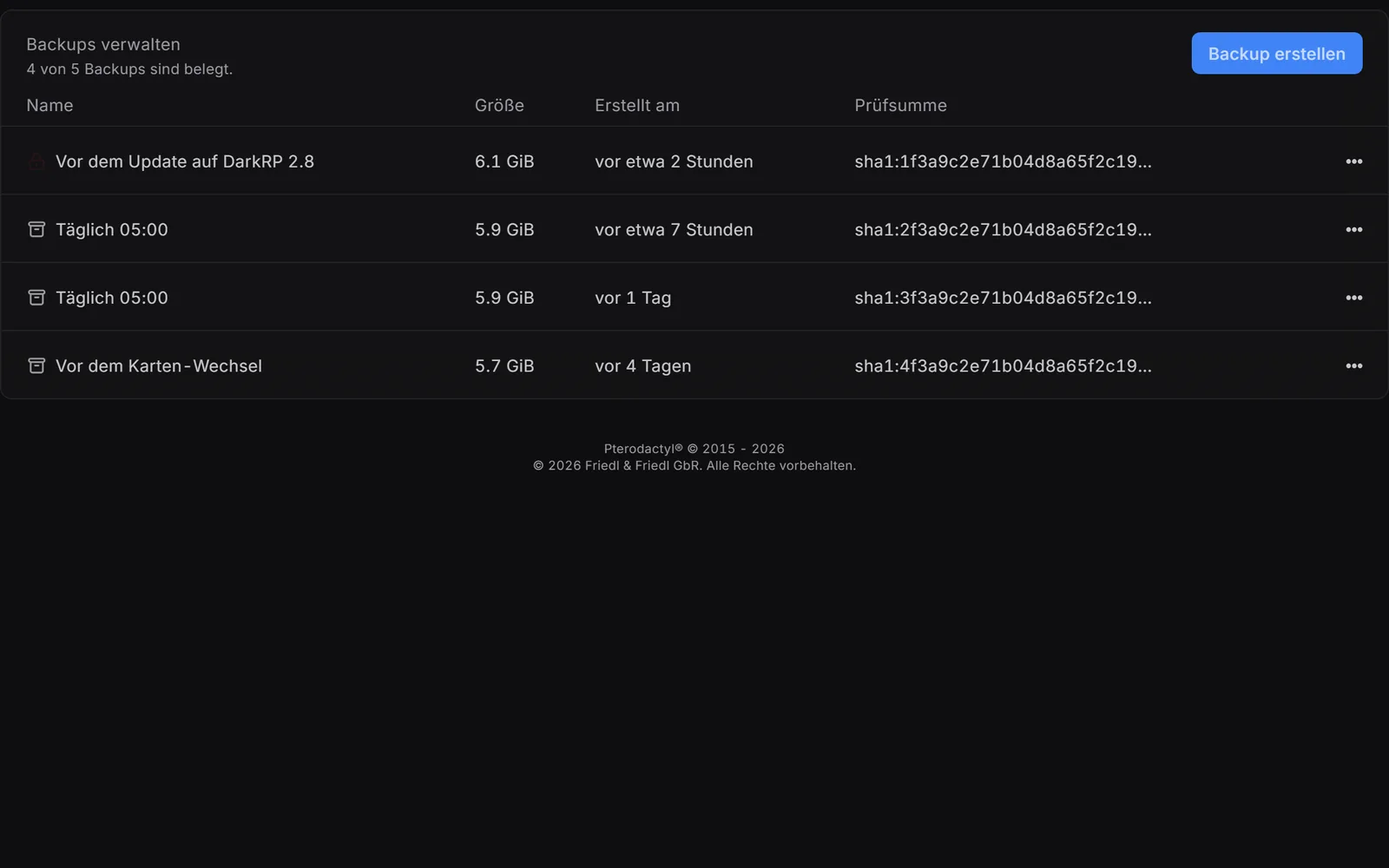
  • Backups2 to 4 backup slots depending on the plan – with one click or on your own schedule.
  • Console and filesLive console, file manager in the browser and SFTP.
  • Grows with youAdd RAM, cores or storage one by one – for good, or as a boost just for one evening.
  • Co-adminsSeparate logins for friends and admins, with exactly the permissions you grant.
  • Personal support24/7 by ticket.

13th-generation Intel processorDDR4 memoryNVMe SSDData center in GermanyAvailability as set out in the Service Level Agreement

With monthly billing you can cancel monthly. Up to 15% cheaper when you pay in advance. Final prices, no setup fee. Player numbers are guide values – you set the maximum yourself.

Set up and manage your Terraria server

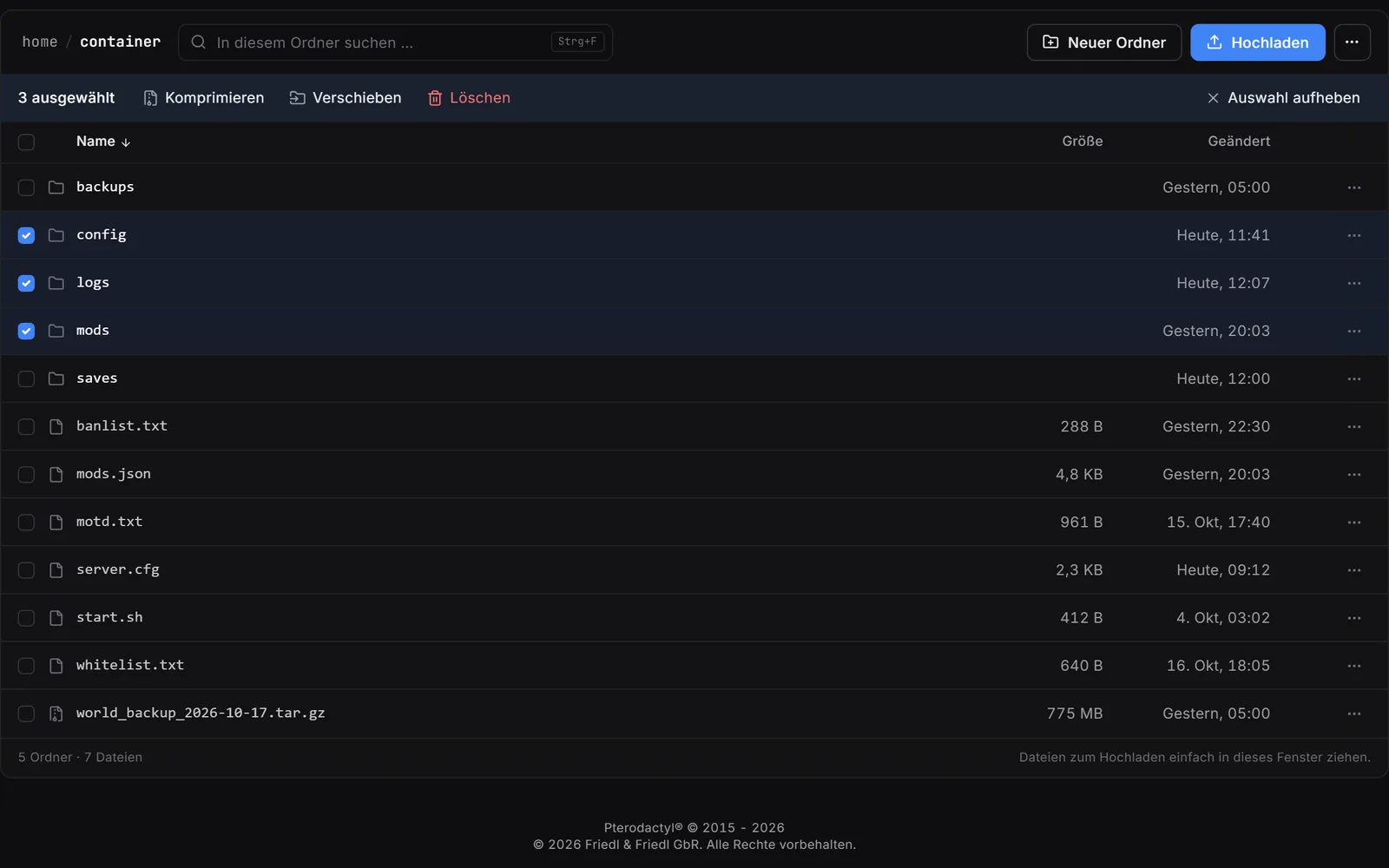
Real screenshots from the game server panel. Everything runs in the browser – no FTP program and no SSH.
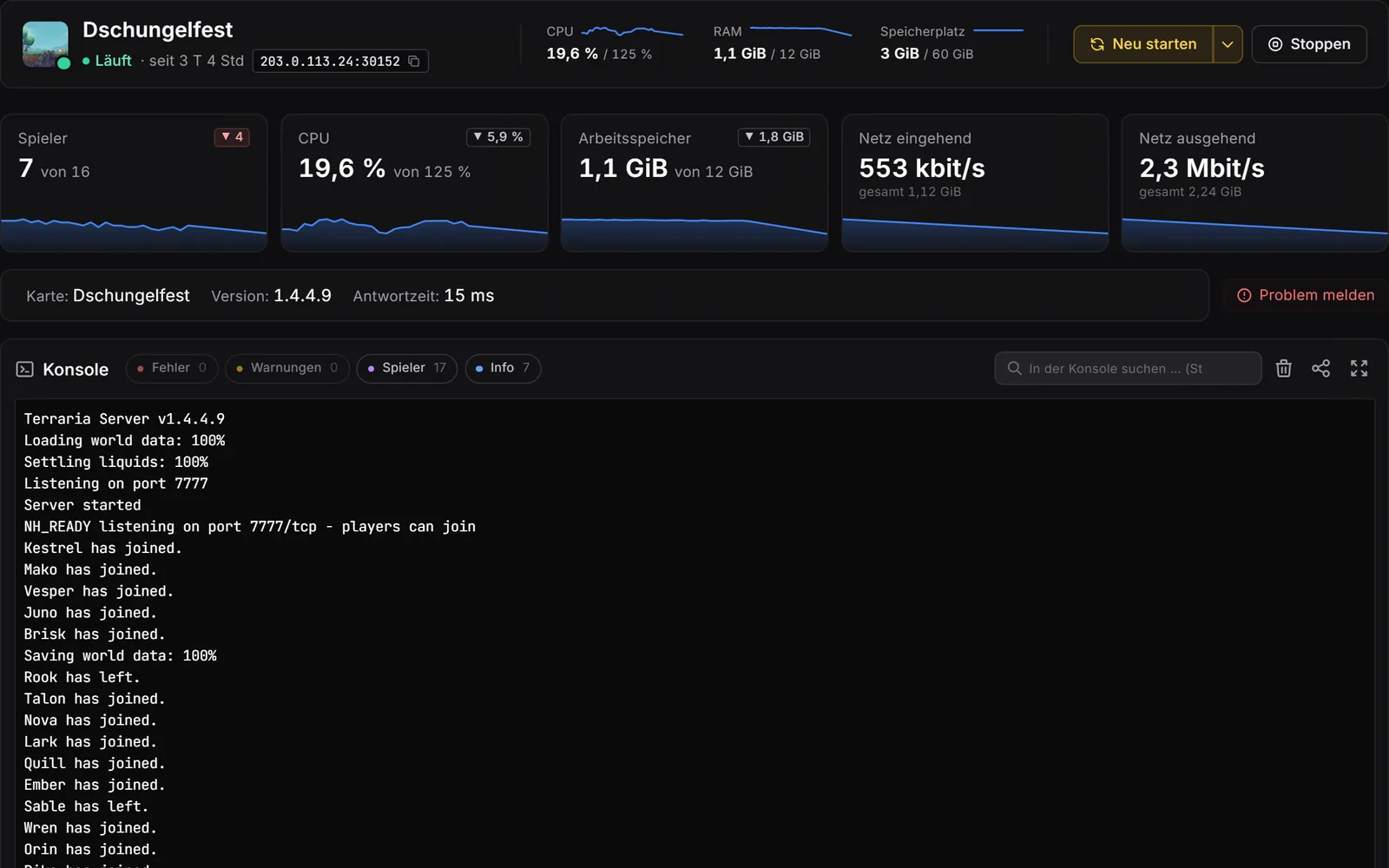
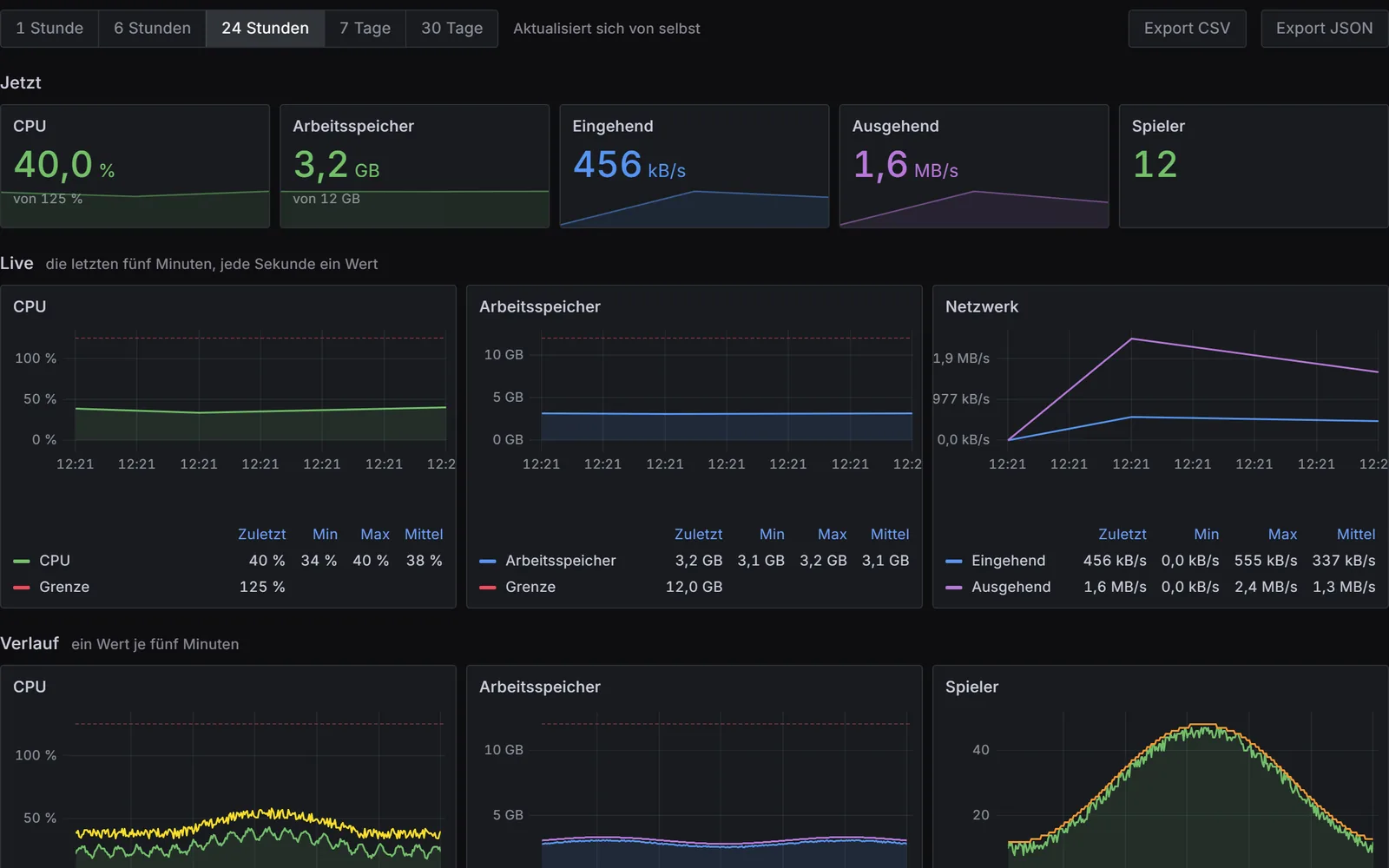
Game server panel, console: header with live values, tiles for players, CPU, memory and network with history curves, below the console with filters for errors, warnings, players and info.

Real screenshots from the game server panel – example server with example values. Use the arrow keys to switch areas.

Also in the panel

Share a log
One click in the console puts the log on logs.nexthosting.app as a link – IP addresses, SteamIDs and e-mail addresses masked, for Garry’s Mod with an analysis of Lua errors per addon. Delete it with one click, or it disappears by itself after 30 days (90 if opened often).
Co-managers
Own logins for friends and admins – with exactly the rights you give them.
Server page and Discord status
Your own page at server-1234.nexthosting.app in eight styles, a status banner for website and forum, and a Discord message that updates itself.
Schedules
Restarts, backups and commands on a schedule; “Plan restart” warns your players beforehand where the game supports it.
Crash alerts and help
If your server crashes, you hear about it – by e-mail or Discord. “Report a problem” opens a ticket with the diagnosis and console output already attached.
Pause your server
Need a break? Store your data, pay only for keeping it and later carry on exactly where you left off.
Extend and boost
Add memory, cores or storage – permanently, or as a boost for just one evening.
Own IP address
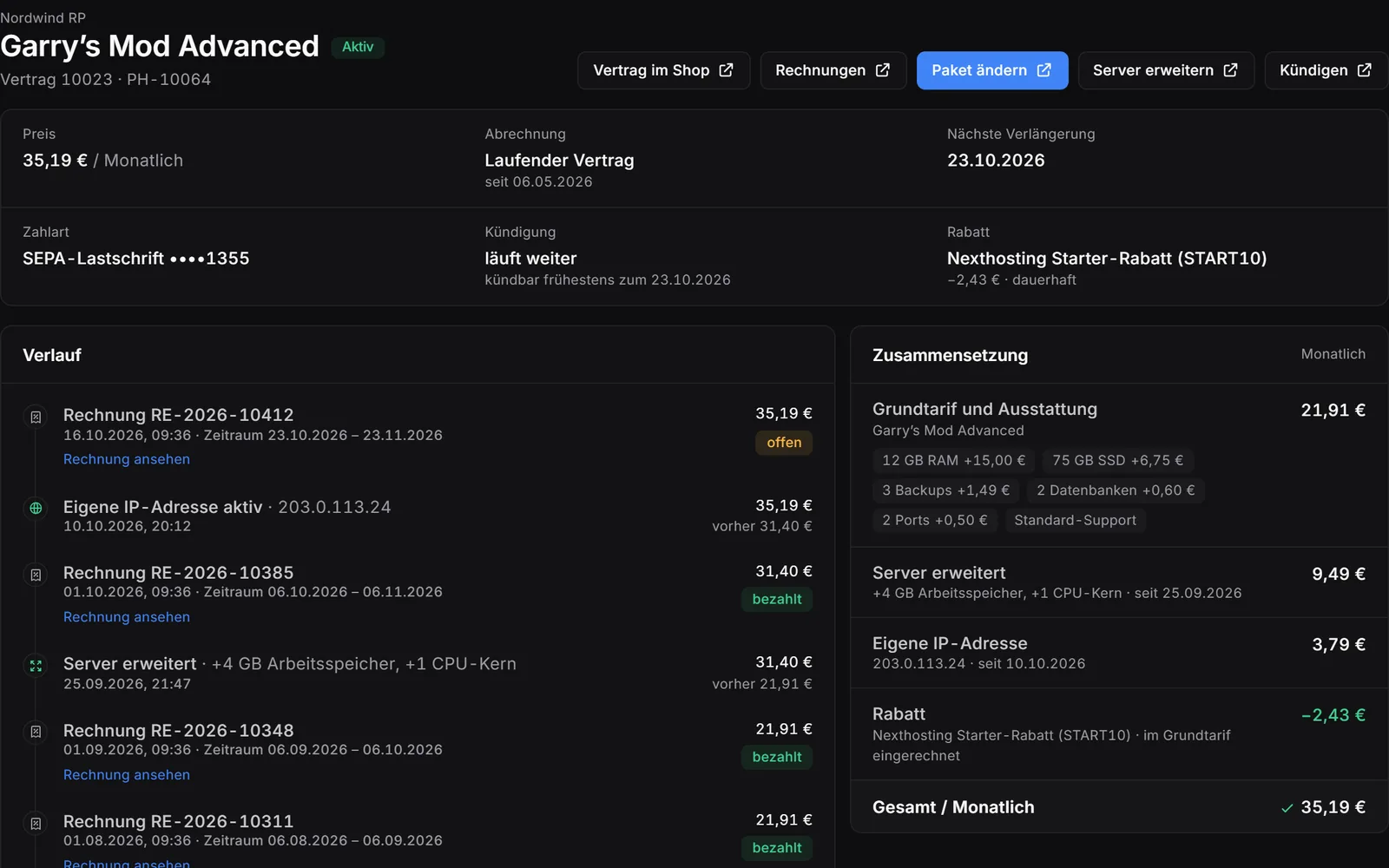
An address just for your server, up to 100 ports of your choice and your own filter – usually set up within minutes.
Customer account in one click
From the panel to your customer account, signed in, with one click. There you can stay signed in for four weeks.

Settings you control

  • Vanilla, tShock or tModLoaderYou choose this when you order: the unmodified game, tShock for administration and plugins, or tModLoader for mods.
  • WorldName, size (small, medium, large), difficulty and an optional seed – for every new world.
  • Player countTerraria allows 1 to 255 players. You set the maximum yourself.
  • PasswordA server password lets you decide who gets in. Without a password, anyone who knows the address and port can join.
  • GreetingYour own message that players see when they join.
  • VersionThe latest version or a fixed one – important if your group wants to stay on one version. With tShock and tModLoader you set their version.

Apart from the variant, all of this is in the panel under “Startup settings”. Size, difficulty and seed only apply to a new world. A new world name creates a new world; the previous one is kept.

How your players join the server

Your friends connect directly with the address and port of your server. Both are shown in your panel once the server is set up.

In the game

  1. Choose Multiplayer in the main menu, then Join via IP.
  2. Select a character.
  3. Enter the address and port of your server.
  4. If you have set a password, the game now asks for it.

The game keeps the servers you recently played on under Join via IP.

Which variant for whom?

Vanilla
The unmodified game. Your friends only need Terraria.
tShock
For running larger servers: characters stored on the server, protection against cheaters and tools for your community. Plugins go into the ServerPlugins folder. You set up the first admin with the setup code that the console shows at startup: in the game, enter /setup followed by the code.
tModLoader
For mods. Every player needs tModLoader too, in the same version as the server; tModLoader is free on Steam. You upload mods as .tmod files to the mods folder and restart the server.

Nexthosting Schutz

Players stay connected. Flooders get locked out.

Every game server at Nexthosting is protected against DDoS attacks at no extra cost – and you can see it in the panel: the “Attacks” page shows your server’s network traffic. With a dedicated IP address it gets a filter all to itself, right on the node, and you control it yourself.

All quiet. Blue means your players. They walk through the gate – that is your server's port.

Example, no real data

Arriving right now242
Turned away1
Let through238
packets per second

Moving example from the protection panel: small squares run towards a wall. Blue squares – the players – pass through the gate to the server, during an attack too. Sand-coloured squares – the attack – get stuck at the wall.

Sand stays outside

Senders that open connections in bulk are locked out automatically while an attack is running. You lift any lock with one click.

Blue keeps playing

Existing connections are never cut. Regulars – anyone who has spent a while on your server – get in straight away, even in the middle of an attack.

Your situation room – right in the panel

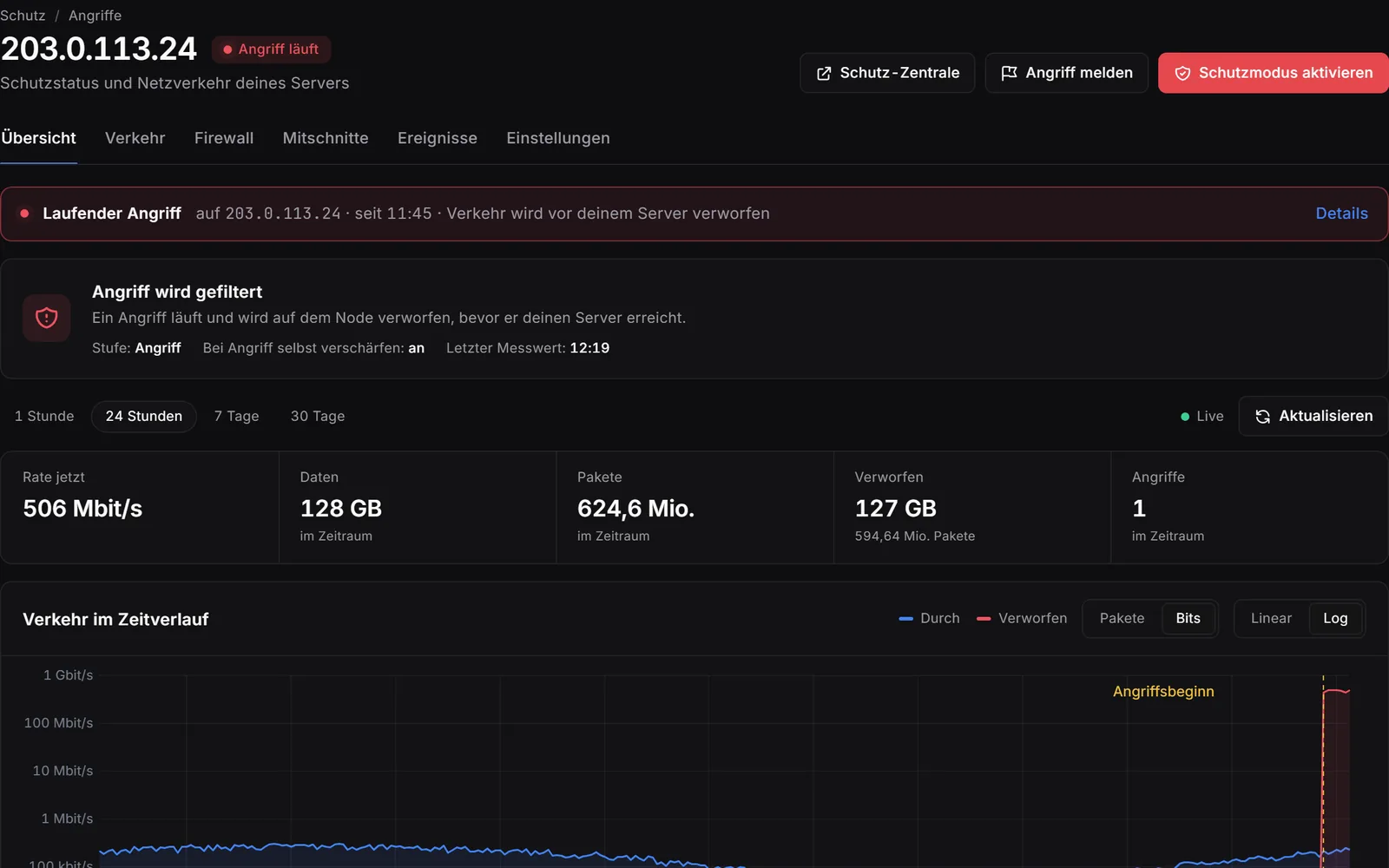
Game server panel, attacks, overview: a running attack whose traffic is dropped before the server, below key figures, traffic over time with the start of the attack, the latest attacks and where they came from, at the top the buttons to report the attack and to activate protection mode.

The situation, live

What gets through and what is dropped, over time; every attack with its peak and duration, plus where it comes from by country. One click on “Activate protection mode” tightens the filter at once. “Report attack” sends us an urgent notice, followed by a full report as a PDF – on request with a confirmation you can hand to the police or other authorities.

Game server panel, attacks, firewall tab: sender rules with blocked and allowed addresses, note, expiry and who set the rule, next to it the path of a packet to your server.

Your firewall

Block senders or always let them through – with a note and, if you like, an expiry time. During an attack the filter blocks flooding senders by itself; you see every block and lift it with one click.

Game server panel, attacks, captures tab: list of captures and the analysis of one capture with packets, duration, senders, protocols, ports and packet sizes.

Packet captures

Up to 60 seconds of header data of the traffic to your address – with one click or automatically as soon as an attack begins. The analysis by protocol, port and packet size is in the panel, the file ready to download.

Game server panel, attacks, settings tab: block countries or allow only some, the automatic action during attacks and the notifications by e-mail, monthly report and Discord.

Countries and alerts

Block countries or allow only the ones you choose; if you like, the protection blocks the countries an attack comes from by itself while it runs. You are told by e-mail and Discord, plus a monthly overview.

Game server panel, attacks without a dedicated IP address: the server’s network traffic over time with unusual spikes, next to it what a dedicated IP address adds.

For every server

Even without a dedicated IP address the “Attacks” page shows your server’s network traffic and marks unusual spikes. The data centre’s basic protection always runs alongside.

What the protection costs

With every game server
The data centre’s basic protection against DDoS attacks and the “Attacks” page in the panel with your server’s network traffic. At no extra cost.
With a dedicated IP address
A filter for your address alone, right on the node, protection mode with one click, firewall, countries, packet captures, reporting with a full report and up to 100 ports of your choice – for €3.79 a month plus a one-time setup fee of €4.99, with no further charge. Usually set up within a few minutes; you can also add it later.
Order a Terraria serverCompare plans

You pick the dedicated IP address as an add-on while ordering. Server location: a data centre in Germany.

Included for free: your server’s live status

Your players can see for themselves whether the server is up and how full it is right now.

In Discord
A message in your channel that updates itself: status, players, map and address. No bot needed.
On websites and forums
A banner as an image, for a signature for example. You copy the embed code in the panel.

Included with every game server at no extra charge, you switch it on in the panel. Player count and map are available for games with a server query, online or offline is always shown.

Example: a Discord channel shows the status message of a server with 12 of 50 players, ping, uptime and address. Below it is a forum post whose signature contains the status banner of the same server. Both show the same player count.

Terraria Community Bundle

Save 15% versus buying separately – with Discord bot, website and domain.

from 14.37 € a month

instead of 16.97 € alone

Build your bundle

Frequently asked questions about your Terraria server

Costs, setup, player numbers and cancellation – answered briefly.

From €5.99 per month (Basic plan). The largest plan, Premium, costs €12.99 per month. The plans differ in memory, cores and storage. These are final prices, and there is no setup fee.

After payment, your server sets itself up. You open the panel straight from your customer account.

Through Multiplayer and Join via IP in the main menu: select a character, then enter the address and port of your server. You can find both in your panel. A server password lets you decide who gets in.

Vanilla is the unmodified game and is all you need for a session with friends. tShock adds administration tools – such as characters stored on the server and protection against cheaters. You need tModLoader for mods; every player then needs the same version of tModLoader as well.

You choose the variant when you order.

In the startup settings you keep the latest version or enter a fixed one. With tShock and tModLoader this is their own version; it determines which Terraria version runs.

After a change you reinstall the server in the panel – worlds, settings, plugins and mods are kept. Your friends need the same version as the server.

We do not limit slots – you pay for hardware. The player numbers on the plans are guide values; how many your server really handles depends on world size and mods. Terraria itself allows up to 255 players; you set the maximum in the startup settings.

Yes. You can upgrade at any time; the change takes effect immediately and the difference is charged pro rata. Downgrades take effect at the end of the term. You can also add just RAM, cores or storage. Your data stays in place.

Yes. You book your own IP address as an add-on to your server. With it, you get up to 100 ports of your choice and the protection panel.

Yes, in every plan. Backup slots: Basic 2, Advanced 3, Premium 4. Back up with one click or set up your own schedule in the panel; restoring also takes one click.

In a data center in Germany. What applies to availability is set out in the Service Level Agreement.

Yes. With monthly billing you can cancel your server monthly. Paying in advance makes it up to 15% cheaper; the chosen term then applies. If you only need a break, you can pause the server – then you pay only for keeping your data.

Your world is waiting

Choose a plan, pay – your server sets itself up.