Valheim Advanced
- Processor 2 vCoresIntel 13th generation
- Memory 6 GB DDR4 RAM
- Storage 15 GB NVMe SSD storage
- Slots Sized for about 10 players, no slot limit
- Backups 3 backups
- Automatic Steam updates
- Pterodactyl Panel
- Location Germany
from €10.19/month
billed annually (prepaid) · without discount €11.99/month
Final price · no setup fee
What applies to this product
- Location
- Data center in Germany
- DDoS protection
- included at no extra cost
- Availability
- 99.9% as a monthly average under our SLA
- Support
- 24/7 support
- Rating
- 4.3 out of 5 · Excellent
Contract · Payment methods · Provisioning
- Contract
-
- Minimum term 1, 3, 6 or 12 months
- Notice period 7 days (term 1 month), 14 days (term 3 months), 1 month (term 6 or 12 months)
- Prepaid: ends with the booked period; renew in your account, optionally automatically from your credit balance or through your stored payment method
- Renewal and cancellation: terms and conditions § 8 (business customers § 9)
- Payment methods
- PayPal, Online banking (Pay by Bank), Klarna, credit card, Apple Pay, Google Pay, bank transfer. The checkout shows which of these are available for your order.
- Provisioning
- after payment is received; access details in your account
- Support
- by ticket, email, contact form, or Discord. We usually reply within 24 hours. Contact
- Availability
- Current system status: status page (opens in a new tab)
Legal: Terms and conditions Terms for business customers Add-on terms Right of withdrawal
Valheim server Advanced plan
Rent a Valheim server from Nexthosting
When you rent a Valheim server, your world stays reachable for all players, even when the host is not online. You set the world name and password yourself, and you switch on crossplay in the Startup settings. If you like, we set up BepInEx for your mods right away.
Everything about Valheim serversAdvanced plan
For the regular group that sails often.
- Memory
- 6 GB
- Processor
- 2 vCores
- NVMe storage
- 15 GB
- Backup slots
- 3
from 10.19 €/month
Configure planIs Valheim Advanced right for you?
When your regular group sails regularly and the base grows, Advanced is the next step. It gives the world more RAM and an additional backup slot that you can use before risky expeditions or rebuilds.
- More than Basic+2 GB RAM, +0.5 vCores, +5 GB storage, +1 backup slot
- One plan upPremium with 8 GB RAM and 3 vCores for 14.99 € a monthView Premium
What your Valheim server can do
Standard or with BepInEx
When you order, you choose "Standard (no mods)" or "With mods (BepInEx preinstalled)", at no extra charge in every package.
Mods via file manager or SFTP
You upload mods yourself to the BepInEx/plugins folder and restart. Their settings are in BepInEx/config.
Bring your own world
A Valheim world consists of two files (.db and .fwl). Upload both, enter the name as the world name and restart.
Crossplay switch
For friends without Steam, for example on Xbox, you switch on crossplay in the Startup settings. It is off at first.
Community list and password
You set the server name, password, world name and the entry in the community list in one form. Valheim also keeps older copies of the world itself.
Updates on server start
Valheim updates itself on start, as long as you do not switch that off. BepInEx and your mods stay in place.
The Nexthosting panel
More than start and stop.
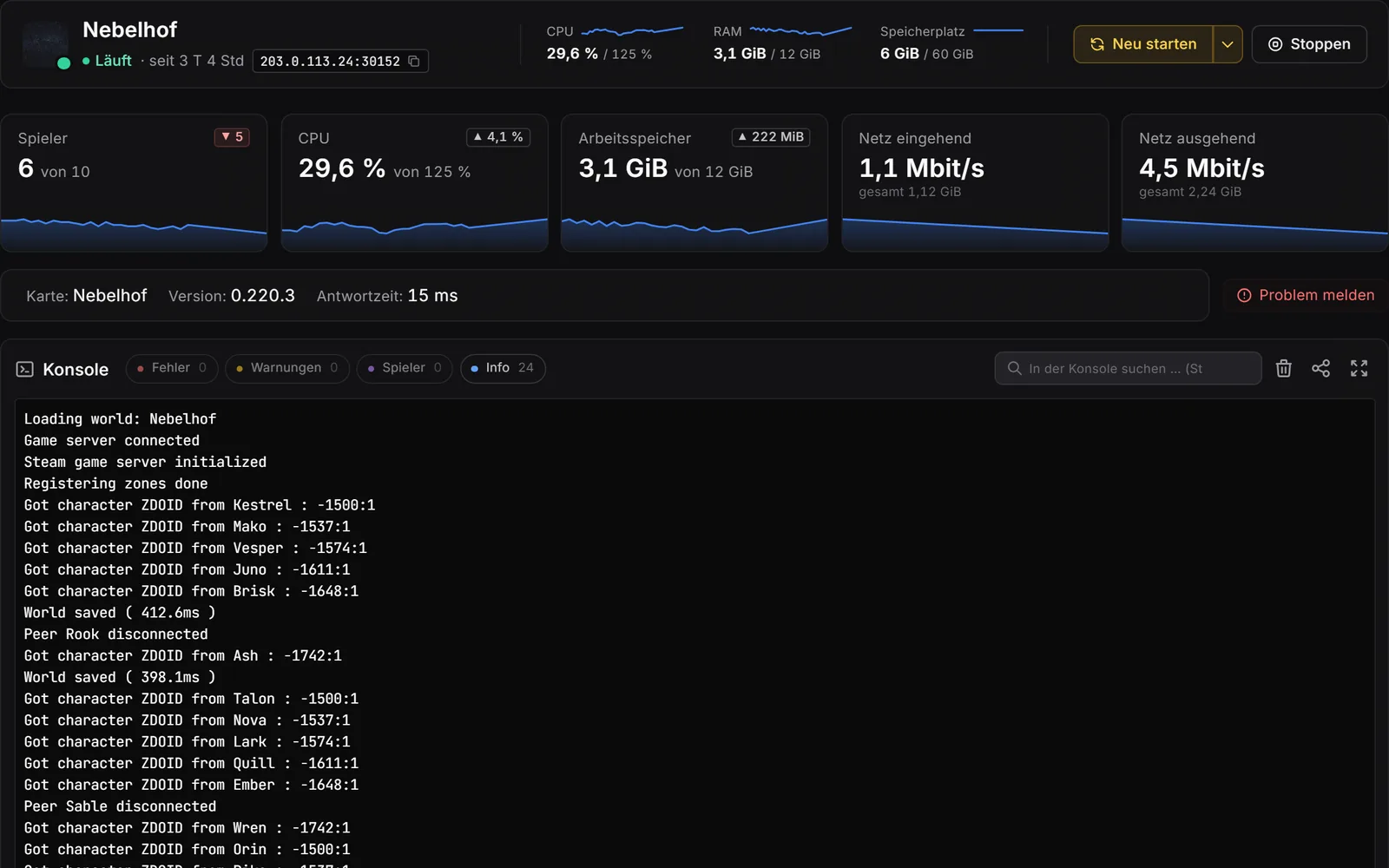
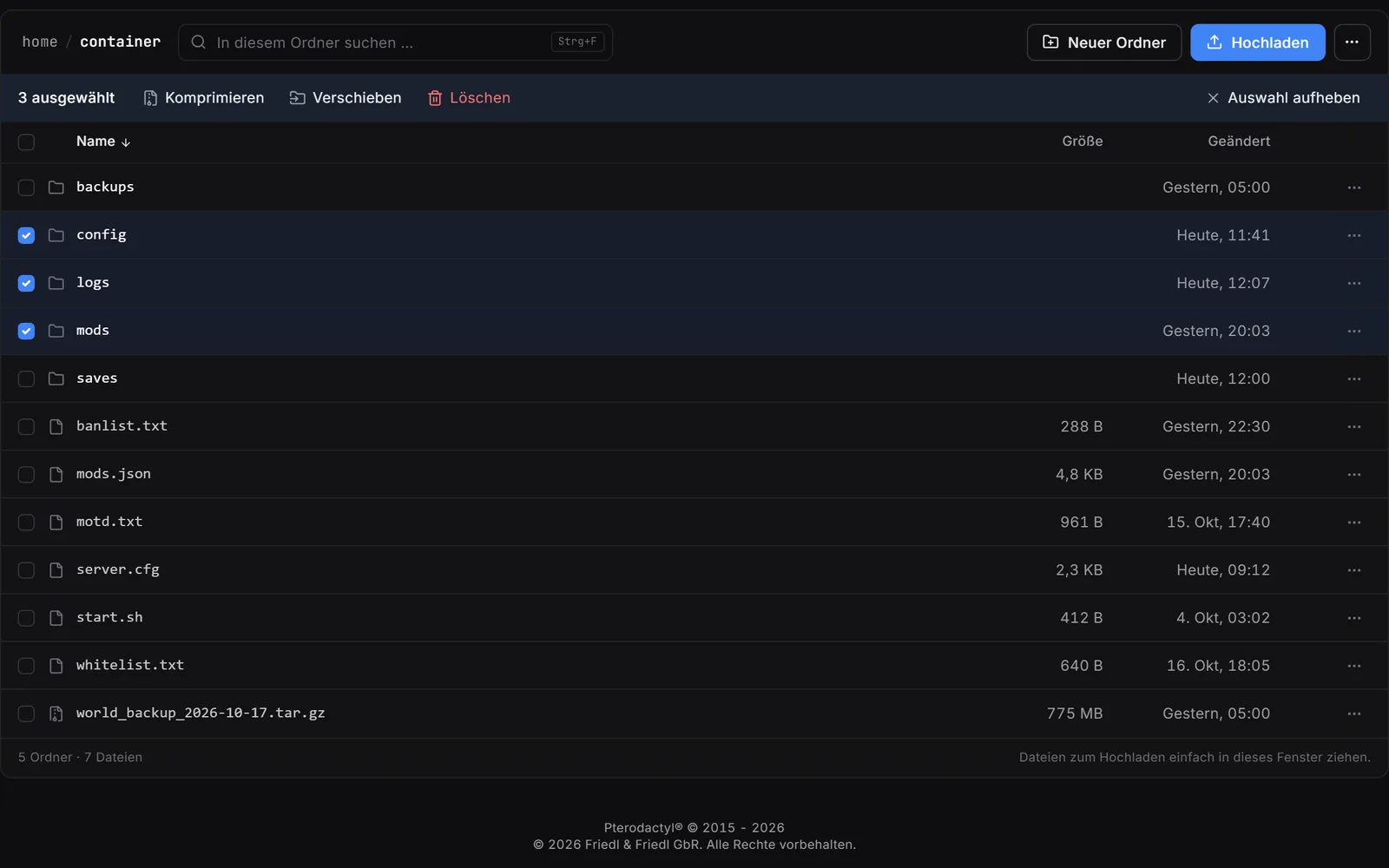
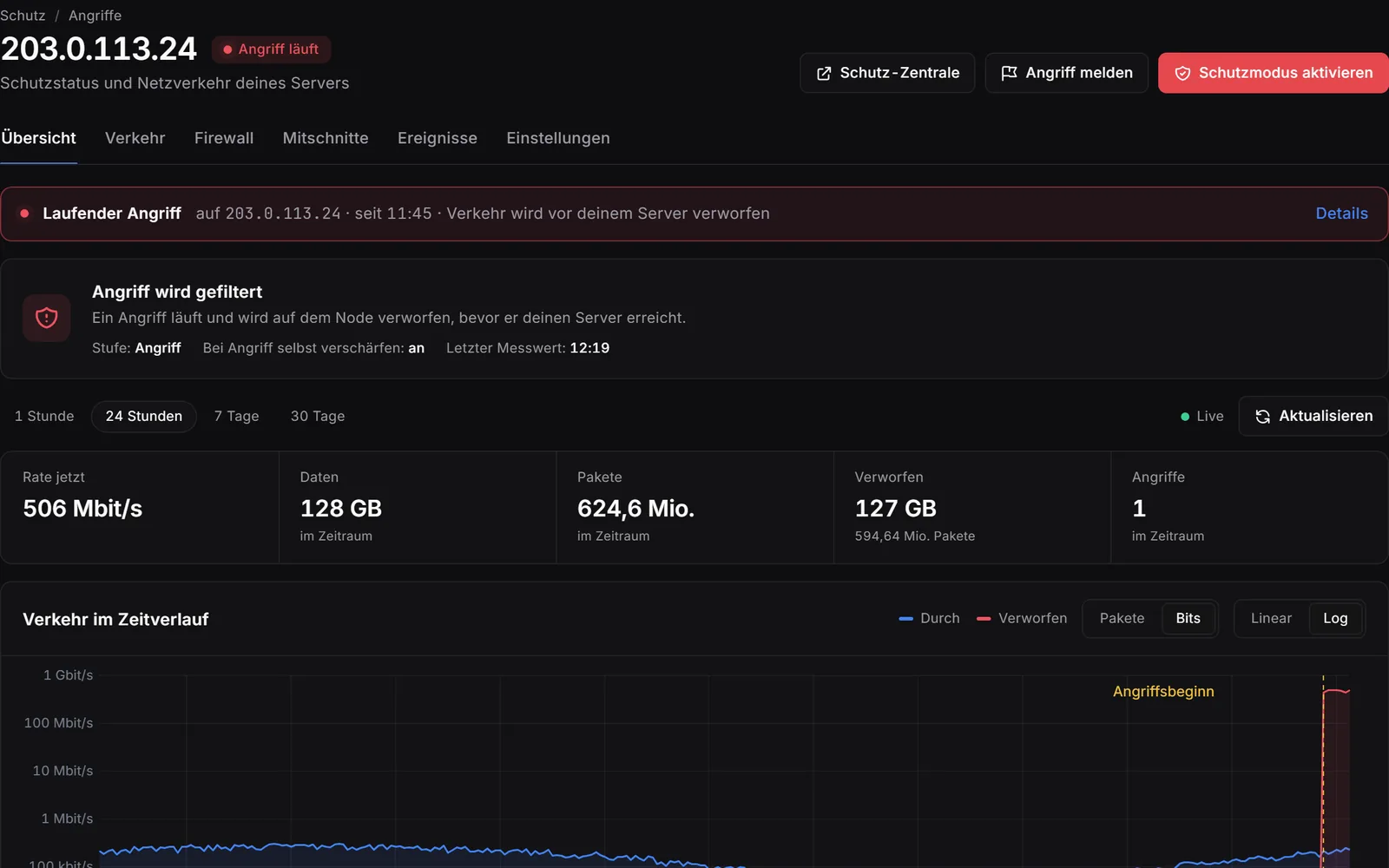
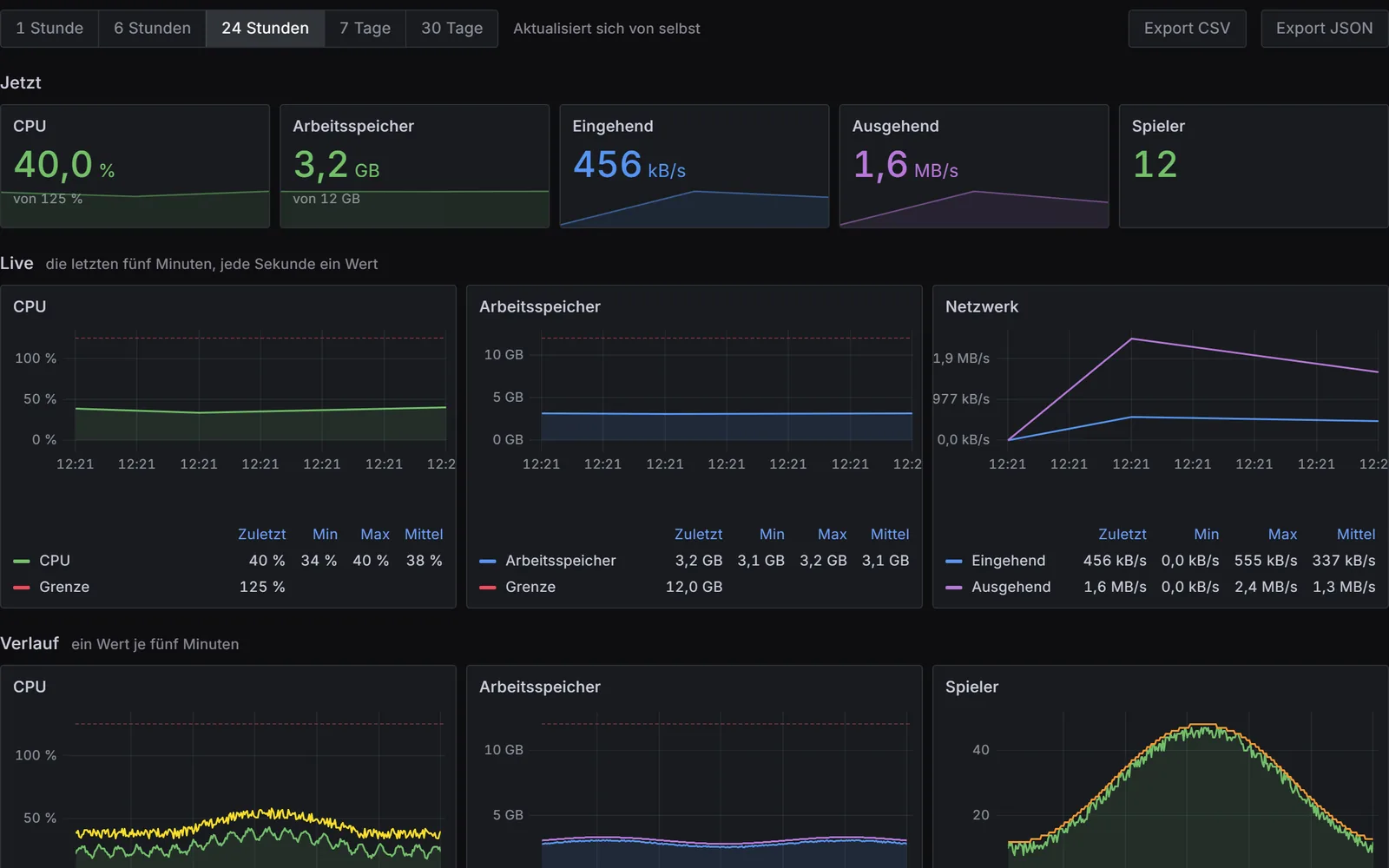
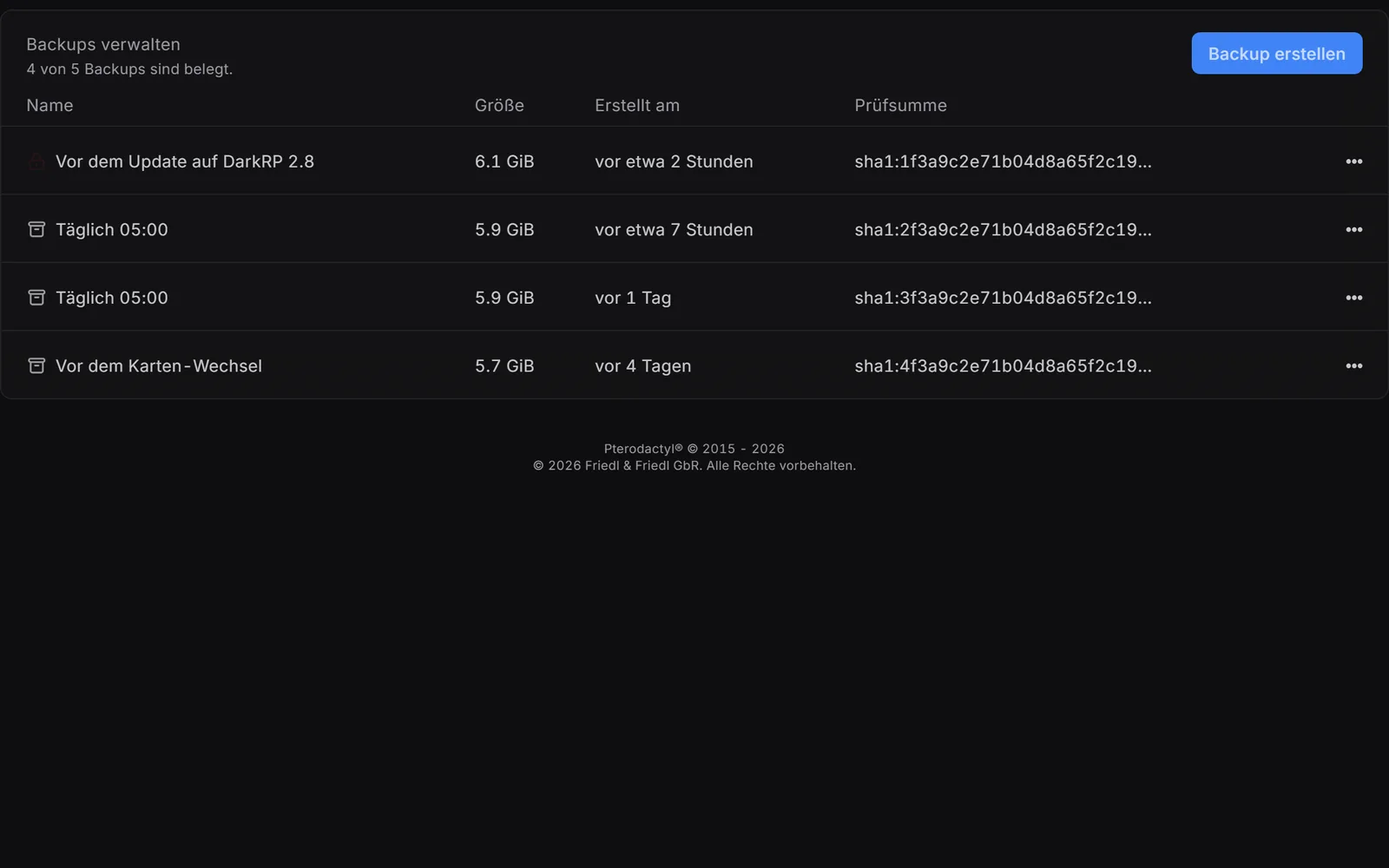
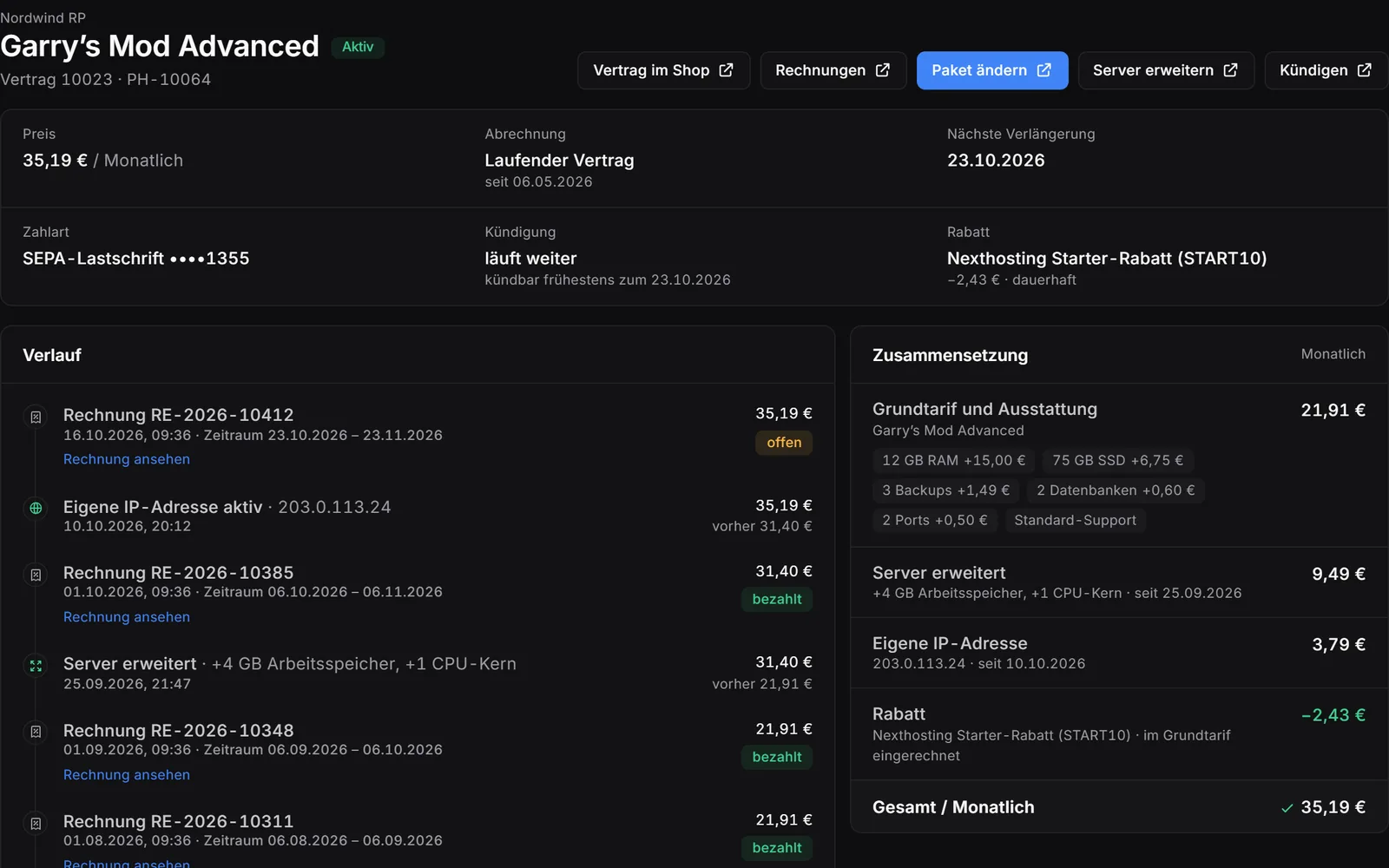
Real screenshots from the game server panel – example server with example values. Use the arrow keys to switch areas.
All Valheim plans compared
You set the number of players yourself – the plans differ only in resources. Prices per month on the monthly contract; paid in advance for 12 months, up to 15 % cheaper.
Valheim Community Bundle
Save 13% versus buying separately – with Discord bot, website and domain.
Included with every plan
- DDoS protectionAttacks on your server are fended off at no extra charge.
- Data centre in GermanyShort routes for players in Central Europe, 99.9 % availability on a monthly average according to the SLA.
- Panel, file manager and SFTPYou manage the console, startup settings, files and subusers in your browser.
- Backups with one clickBackup slots per plan – back up with one click or on your own schedule.
- Cancel monthlyNo setup fee. The monthly contract has a term of 1 month and a notice period of 7 days.
- More power laterWith "Extend server" you add RAM, storage or cores in the customer area.
Frequently asked questions about the Valheim server
What do I do if Valheim Advanced is no longer enough?
You extend your server in the customer area with more RAM, CPU cores or storage, individually or together. For the current month you pay only the pro-rata difference, and from the next invoice the new monthly price applies. If you plan for more players from the start, go straight to Premium with 8 GB RAM.
How many players fit on a Valheim server?
Valheim itself allows at most 10 players at the same time in a world, in every package. We do not limit slots, and the packages differ in memory, cores, storage and backup slots.
Can I use mods on my Valheim server?
Yes. When you order, you choose "With mods (BepInEx preinstalled)". You upload mods to BepInEx/plugins via the file manager or SFTP and restart. Many mods also have to be installed in the same version on all players' machines, server-only mods do not.
Can friends without Steam play too?
Yes, with crossplay, for example on Xbox. You find the switch in the Startup settings, then you restart. For a server with mods we do not promise this, because many mods have to be installed on every player's machine.
How do my friends join my Valheim server?
Via "Join Game". If the server is in the community list, they search for its name there. Otherwise they enter the address from the panel under "Add server". Both ways need your password.
Can I take my existing Valheim world with me?
Yes. Upload the two files with the extensions .db and .fwl via the file manager or SFTP and enter the name as the world name in the Startup settings. After the restart, the server runs with this world.
Can I switch between Standard and With mods later?
Not with a click. Write to support for that. You update BepInEx with "Reinstall server" in the panel, and the world and mods are kept.
When is my Valheim server ready?
The server is set up automatically once your payment has been received. You get the access details by email and can find them in the customer area.
Can I give my Valheim server more power later?
Yes. With "Extend server" you add extra memory, storage or CPU cores to your running server in the customer area.
How long does the contract run and how do I cancel?
On the monthly contract the term is one month and the notice period is 7 days. You cancel in the customer area. Alternatively you pay prepaid for a fixed period; it ends with the booked period unless you switch on automatic renewal.
Is DDoS protection included with the Valheim server?
Yes, every game server at Nexthosting is protected against DDoS attacks at no extra charge. The server is located in a data centre in Germany.