Privacy notice This website only uses technically necessary cookies. Statistics, marketing and external services are not loaded without JavaScript. Learn more in our Privacy Policy.
Privacy notice This website uses only technically necessary cookies. Statistics, marketing and external services are not loaded without JavaScript. Read more in our Privacy Policy.
Informacja o prywatności Ta strona używa wyłącznie technicznie niezbędnych plików cookie. Statystyka, marketing i usługi zewnętrzne nie są ładowane bez JavaScript. Więcej w naszej Polityce prywatności.
Information sur la confidentialité Ce site n’utilise que des cookies techniquement nécessaires. Les services de statistiques, de marketing et les services externes ne sont pas chargés sans JavaScript. Plus d’informations dans notre Politique de confidentialité.
Avviso sulla privacy Questo sito usa solo cookie tecnicamente necessari. I servizi statistici, di marketing ed esterni non vengono caricati senza JavaScript. Maggiori informazioni nella nostra Informativa sulla privacy.
Aviso de privacidad Este sitio web solo usa cookies técnicamente necesarias. Los servicios de estadística, marketing y externos no se cargan sin JavaScript. Más información en nuestra Política de privacidad.
Privacymelding Deze website gebruikt alleen technisch noodzakelijke cookies. Statistiek-, marketing- en externe diensten worden zonder JavaScript niet geladen. Meer hierover in onze Privacyverklaring.
Privatlivsinformation Denne hjemmeside bruger kun teknisk nødvendige cookies. Statistik-, marketing- og eksterne tjenester indlæses ikke uden JavaScript. Læs mere i vores Privatlivspolitik.

A MilitaryRP loading screen in the Briefing design

Discipline starts before the spawn. A MilitaryRP loading screen shows mission rules, chain of command and the way to training – before the first recruit sets foot on the parade ground.

A free customer account is all you need. No web space, no code, no payment details.
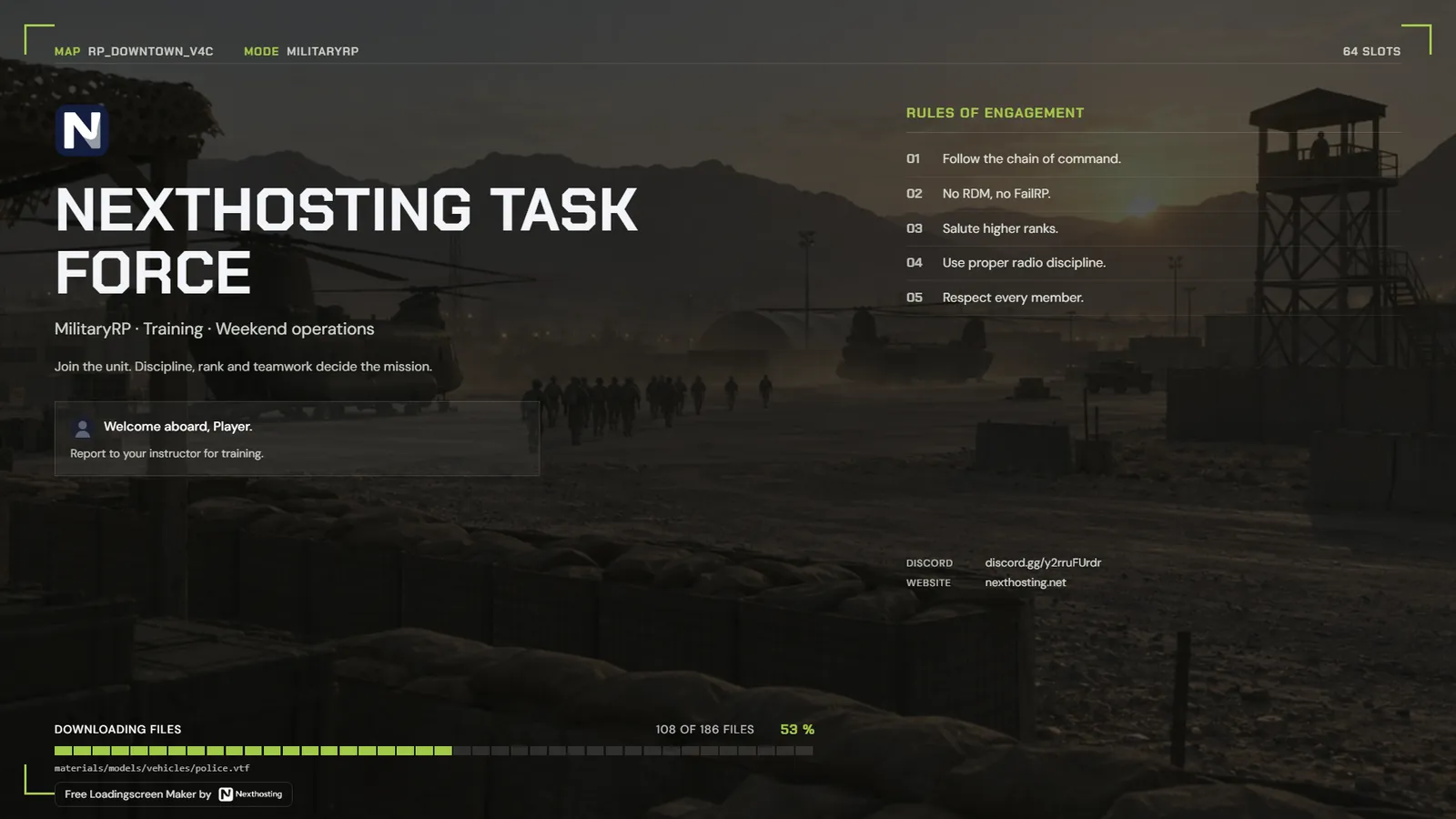
MilitaryRP loading screen in the Briefing design: military base in the background, mission rules, green progress bar Open live demo ↗
Nexthosting Task Force · Design Briefing · MilitaryRP

Like a situation report before deployment

Briefing lays out the screen like a mission briefing: server name large on the left, subtitle with unit and operation times, and the mission rules numbered 01 to 05 on the right. Map and mode appear at the top in capital letters, and the progress bar runs in green segments.

New players on MilitaryRP servers almost always ask the same thing: where do I sign up for training, how do I use the radio properly? Both belong in the tips that rotate while loading. The greeting "Welcome aboard, {Name}." uses the real Steam name.

An image of your base or training grounds in the background – the editor darkens it behind the text so everything stays readable.

Guide: setting up sv_loadingurl

How it gets onto your server

Three steps, none of them with code

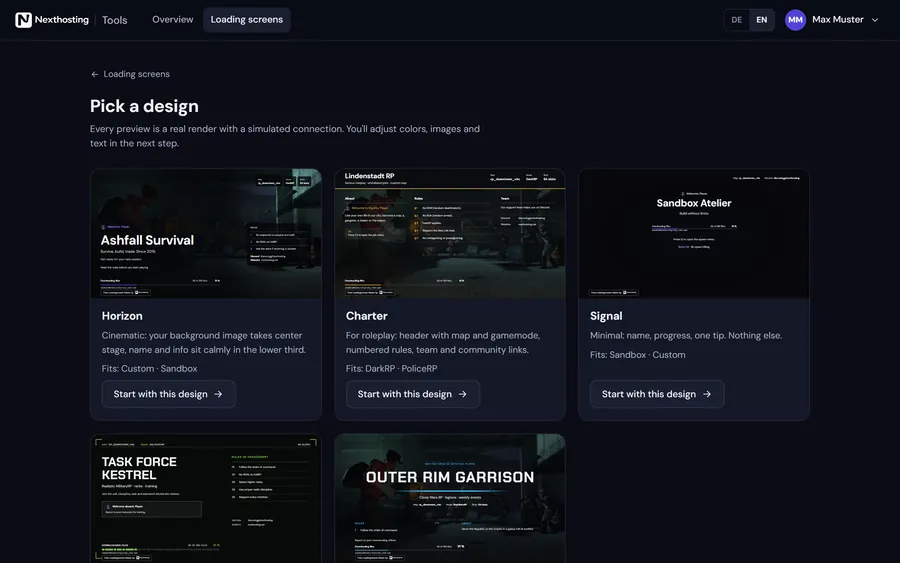
  1. Design selection in the editor with real previews of the five designs
    Step 1

    Choose a design

    Sign in with your customer account and start with one of the five designs. The preview shows the real screen.

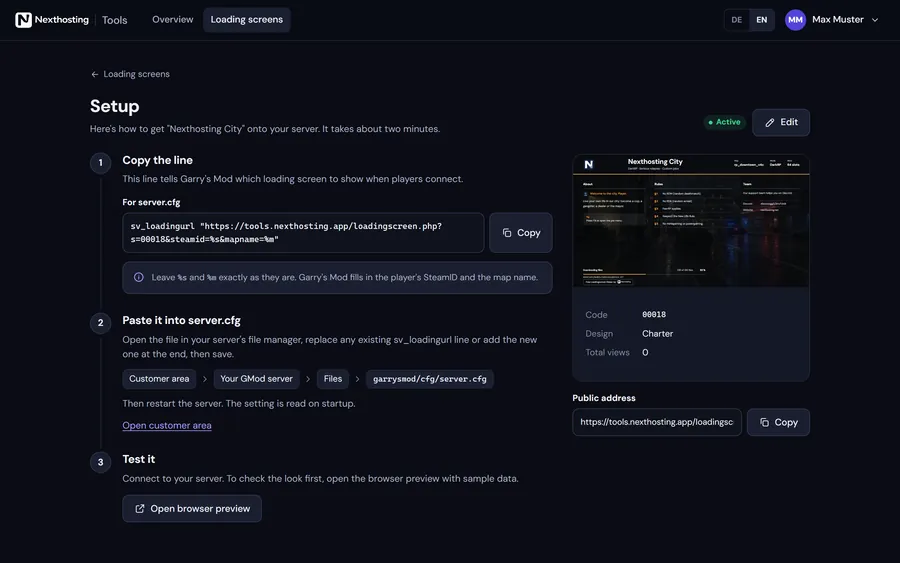
  2. "Setup" page with the ready-made sv_loadingurl line and copy button
    Step 2

    Copy the line

    After saving you get the ready-made sv_loadingurl line – one click puts it on your clipboard.

  3. garrysmod/cfg/server.cfg
    hostname "Nexthosting City"
    sv_allowdownload 1
    sv_loadingurl "https://tools.nexthosting.app/
      loadingscreen.php?s=00017
      &steamid=%s&mapname=%m"
    Step 3

    Into the server.cfg

    Paste the line, restart the server, done. Later changes in the editor go live instantly, no new line needed.

Also fits – as a live demo
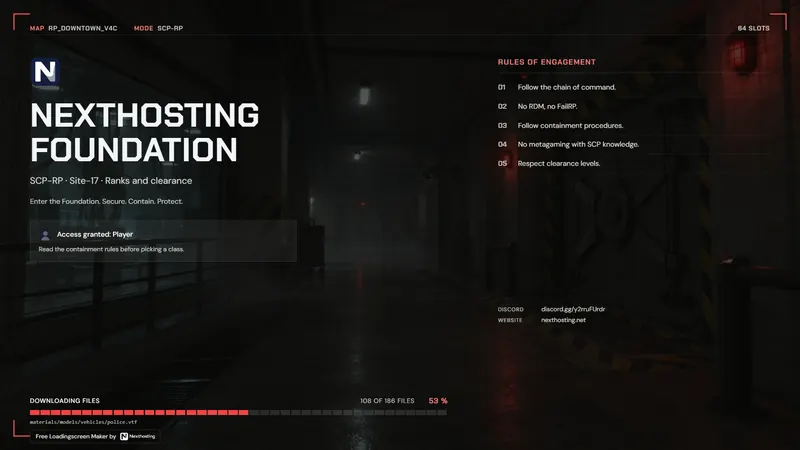
SCP-RP loading screen in the Briefing design: mission rules on the right, red segmented progress bar, research facility in the background
Nexthosting Foundation Briefing · SCP-RP Open live demo (opens in a new tab)
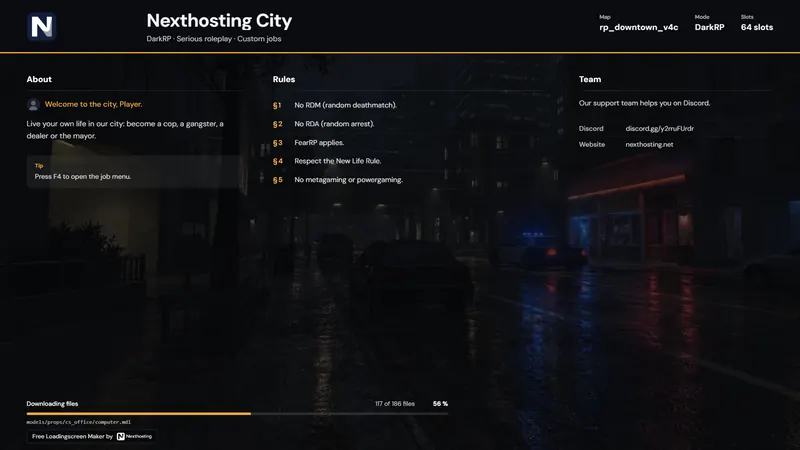
DarkRP loading screen in the Charter design: header with map and gamemode, numbered paragraphs, team and Discord
Nexthosting City Charter · DarkRP Open live demo (opens in a new tab)

Frequently asked questions

Which design suits MilitaryRP?

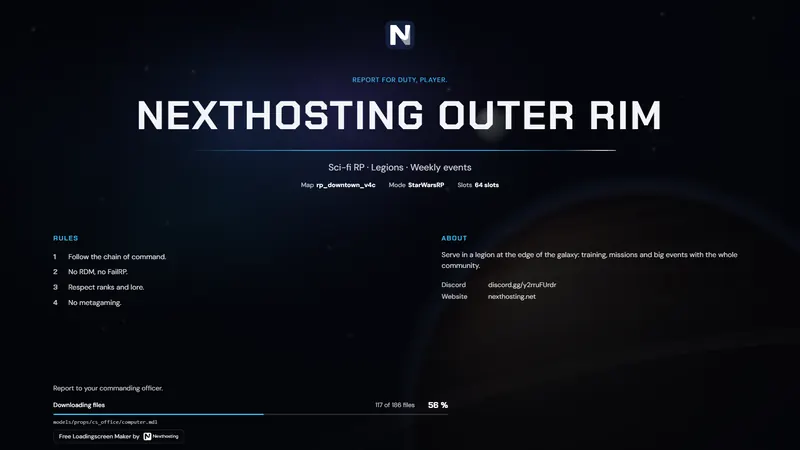
Briefing: mission rules, monitor corners and a segmented progress bar. For lots of info in columns, Charter also works.

Can I list ranks or units?

Yes, in the "About us" field or as rules. Short lines read best while loading.

Can I change the screen later?

Any time. The sv_loadingurl line stays the same, and changes are live the next time someone connects.

Your server, your first impression

The loading screen is the first thing new players see of your server. Make it something that looks like you.

A free customer account is all you need. No web space, no code, no payment details.